TypingSpot is a free touch typing tutor for English. It gives you typing practice online, with 10 lessons that teach touch typing row by row, from the home row to full paragraphs, then numbers, punctuation and symbols. Each drill shows your speed and accuracy, and the on-screen hands show which finger to use. Nothing to download and no account to make.
Always inside words and numbers, like real writing.
The words in the drills are common English words. We wrote the sentences and paragraphs ourselves.
What will I be able to do after the lessons?
You will not turn into a fast typist in a week. You will build habits that make speed possible.
Find every letter key without looking down.
Use the right finger for each key.
Type capitals, numbers and common symbols inside normal text.
Read your own speed and accuracy after each test.
Know which lessons to repeat.
Where do my fingers go when I type?
Rest your fingers on the home row. Each finger looks after its own keys.
Left hand: little finger on A, ring on S, middle on D, index on F.
Right hand: index on J, middle on K, ring on L, little on ;.
Both thumbs rest on the space bar.
Feel for the small bumps on F and J. They tell your index fingers where home is.
Reach up or down with the same finger, then come back to the home row.
Which finger presses which key?
QWERTYUIOP
ASDFGHJKL;
ZXCVBNM,./
Space bar: both thumbs
Left little
Left ring
Left middle
Left index
Right index
Right middle
Right ring
Right little
Each color is one finger. Your fingers go back to the home row (the middle letter row) after every reach.
Which keyboard layout do the lessons use?
The lessons use the standard US QWERTY layout. The name comes from the first six letters on the top row.
US layout
The one in these lessons. The @ sign is on Shift+2 and the double quote is on Shift+'.
UK layout
The letters sit in the same places. Some symbols move, such as @, the quote marks and #. The lessons still work for the letters.
Windows lists the layouts that come with each language. If a key types a different symbol from the one on screen, check your layout in Settings. See the Microsoft list of keyboard layouts.
Try these three words
helloLeft hand and right handKeys, in order: HELLO
flaskMostly home rowKeys, in order: FLASK
typingTop row and home rowKeys, in order: TYPING
How do I learn touch typing without looking?
Start slow. Accuracy first, speed later. Most people learn faster if they follow a few simple habits.
Put your fingers on the home row before every drill.
Look at the screen, not the keys. Use the on-screen keyboard only as a guide.
Use the finger shown by the hand guide, even when another finger feels easier.
Do one lesson a day, about 15 minutes. Repeat a drill until you earn 3 stars.
Hide the on-screen keyboard once you know a row.
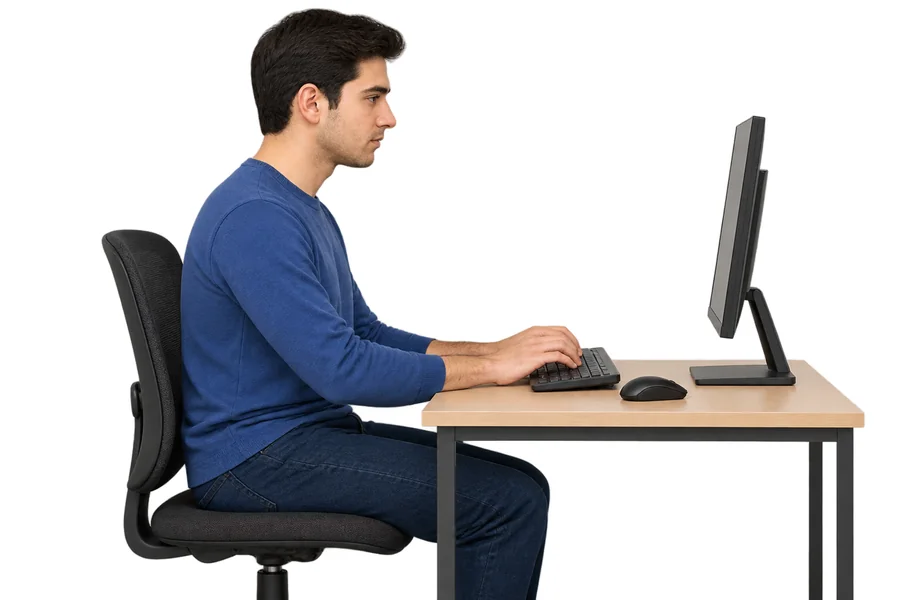
Sit straight, relax your wrists and rest every 30 minutes.
The full stop, comma, question mark and quote marks are in Lesson 9.
Brackets and symbols such as @, # and $ are in Lesson 10. They sit inside words and numbers, not alone.
Should I learn to type while I learn English?
Yes, if you plan to write English often. You do not need to know every word first.
Start early
Typing gets the spelling of common words into your fingers.
Type what you learn
After a class, type the new words and sentences from it.
Use the sentences
Lesson 6 and Lesson 7 have full sentences and short paragraphs.
Typing English when you also type Urdu: what should you know?
We also build Urdu and Arabic tutors, so we know this setup well. Most keyboards sold in Pakistan are US QWERTY with Urdu letters printed or stuck on top. That is the layout these lessons teach.
Switch to English first
If your computer is on the Urdu keyboard, English keys will type Urdu letters. Press Alt + Shift or the Windows key + Space until the taskbar says ENG, then start the drill.
Same fingers, new letters
The home row is the same for both languages. If you already know the Urdu typing tutor lessons, the English home row will feel familiar.
Shared computer or cyber cafe
Your stars live in that browser on that PC. On a lab or cafe computer, use the same browser each time and do not clear its data, or you start fresh.
It builds speed and accuracy, which is what most tests check. It is not an official exam and gives no certificate.
Typing tests for clerk, data entry, office assistant or call center jobs usually ask for a speed and an accuracy level. The exact numbers change from one notice to the next, so read yours before you decide how much to practice.
US QWERTY is what you learn here. If the test uses another layout, practice on it in Windows too.
2. The targets
Find the speed and accuracy the notice asks for.
3. The mistakes
Find out how errors are counted.
What is the difference between a typing tutor and a typing test?
Typing tutor
Teaches you. It shows the next key, the right finger and where you went wrong. Use it to learn.
Typing test
Measures you. It gives a speed in WPM and an accuracy score. Use it to check progress.
The lessons here do both. Every lesson has drills to learn and a timed test to measure.
What are the ways to do typing practice online?
TypingSpot tutor
Free lessons, drills and stars in your browser
Good for Learning where the keys are
Your own writing
Typing emails, notes or homework with the right fingers
Good for Using the skill every day
Typing tests
Timed tests that give a speed and an accuracy number
Good for Checking progress
Keyboard shortcuts
Learning key combinations in the programs you use
Good for Working faster after you can touch type
Phone keyboard
Typing with your thumbs on a touch screen
Good for Chat on the go, not touch typing
Based on how each option works. We have not rated other sites or tools.
What are the common typing problems?
I press a key and get a different symbol
Why: Your computer may be set to a different keyboard layout, such as UK instead of US.
Fix: Check the layout in your computer settings. The letters work the same, but symbols such as @ and " can move.
My capital letters keep coming out wrong
Why: Caps Lock may be on, or you may be pressing Shift on the same side as the letter.
Fix: Turn Caps Lock off. Use the Shift key on the opposite side from the letter.
My hands hurt after typing
Why: Tight wrists, a high keyboard or long sessions can strain your hands.
Fix: Keep your wrists straight, relax your shoulders and rest every 30 minutes. If the pain stays, ask a doctor.
My accuracy is low when I go fast
Why: Speed without control creates mistakes, and fixing them takes more time than typing slowly.
Fix: Slow down until a drill is nearly clean. Then speed up in small steps.
I keep looking down at the keys
Why: Looking down is a habit, and the habit is strong at first.
Fix: Hide the on-screen keyboard once you know a row. Rest your fingers on the home row before every drill.
The keys feel stuck or skip letters
Why: Dust, spilled drinks or a loose key can cause this.
Fix: Try another keyboard to see if the problem moves with it. Clean the keyboard gently.
What is a good typing speed? How do I check mine?
There is no official number. Your drill score is out of 100. Accuracy counts for 70% and speed for 30%, and 30 words per minute counts as full speed. The stars are our own scale, not a benchmark.
What do WPM and accuracy mean?
WPM
Words per minute. Most tests count 5 characters as one word.
Accuracy
The share of keys you typed correctly. 95% means about 5 in 100 were wrong.
Score
Our drill score mixes both: 70% accuracy and 30% speed.
☆Score under 20. Try again.
★Score 20 to 40
★★Score 41 to 60
★★★Score 61 to 80
★★★★Score 81 to 90
★★★★★Score 91 to 100
Example: 95% accuracy at 15 WPM scores about 82, which is 4 stars. Want a plain WPM number? Take the free English typing test.
Why you can trust this page
Made byThe TypingSpot team. TypingSpot is a free typing practice site for English, Arabic and Urdu.
Updated28 October 2026. We correct mistakes when you report them.
Private by designNo account. Your stars stay in your browser, and what you type is not sent to us.
How scoring works70% accuracy and 30% speed, out of 100. The rule is shown on this page, in the speed section.
A typing tutor is a program that teaches you where the keys are and which finger presses each one. It gives you lessons and drills, and it shows your speed and accuracy. TypingSpot has a free one that runs in your browser.
Is the TypingSpot typing tutor really free?
Yes. There is no sign-up, no download and no payment. Your stars and progress are saved in your own browser only.
Is this touch typing tutor really a touch typing course?
Yes. The lessons teach touch typing, which means typing without looking at the keys. You learn one row at a time and use all ten fingers. It takes patience, but most people find it much faster in the end.
Which keyboard layout do the lessons use?
The lessons use the standard US QWERTY layout. It is the most common English layout. Many UK keyboards share the letters but place some symbols in other spots, such as the quote marks and the @ sign.
How long does it take to learn to touch type?
It depends on you. A common plan is 15 minutes a day. Many people stop looking at the keys after a few weeks, but speed takes longer. This is a rough guide, not a study.
Do I need to know how to type already?
No. Lesson 1 starts with the home row and the finger positions. If you can already type, you can open any lesson in any order or jump to the tests.
What is the home row?
The home row is the middle row of letters: A S D F for the left hand and J K L ; for the right hand. Your fingers rest there, and they leave it only to reach another key. Then they come back.
What are the little bumps on the F and J keys for?
They let your index fingers find the home row without looking. Once you feel both bumps, you know your hands are in the right place.
What is a good typing speed?
There is no official number. Our drill score is 70% accuracy and 30% speed, and 30 words per minute counts as full speed. Stars run from 1 to 5. For a job test, check the speed and accuracy the notice asks for.
Is there an English typing test?
Every lesson ends with a short timed test that gives you stars. For a full speed check, use the free English typing test, which shows your WPM and accuracy in 1, 3 or 5 minutes.
Is my progress saved?
Yes, in your browser on that device. There are no accounts. If you clear your browser data or switch devices, you start fresh.
Can I learn typing on my phone?
The lessons are made for a computer keyboard, because they teach finger positions. A phone has a different layout and you type with your thumbs.
Should I look at the keyboard while I type?
Try not to. Look at the screen. The on-screen keyboard and the hand guide show you the next key and finger, so you can learn without looking down. You can hide the on-screen keyboard once you know a row.
Why is my accuracy low even when I type fast?
Speed without accuracy costs time, because you have to fix mistakes. Slow down until you can finish a drill with few errors. Then raise your speed little by little.
Is this good for a job typing test?
It builds speed and accuracy, but it is not an official exam. Check which layout the test uses, the speed and accuracy targets, and how mistakes are counted.
How do I switch between Urdu and English while I practice?
Press Alt and Shift together, or the Windows key and Space, until the taskbar shows ENG. Do this before you start an English drill. If you see Urdu letters while typing, your computer is still on the Urdu keyboard.
Will my progress stay if I use a lab or cyber cafe computer?
It stays in that browser on that computer, as long as nobody clears the browser data. If you use a different computer or browser, you start fresh. There are no accounts to carry it over.
Is this a good start before an English typing test for a job?
It is a good start for speed and accuracy. After the lessons, check the notice for your target speed and layout, then practice with longer paragraphs. It is not an official exam.
Is there free typing practice online without signing up?
Yes. Open any lesson in your browser and start typing. There is no account, download or payment. Each drill shows your speed and accuracy, and your stars are saved in your browser.
What is a touch typing tutor?
A touch typing tutor teaches you to type without looking at the keys. You learn one row at a time, with a set finger for each key. TypingSpot is a free one, with on-screen hands that show the next finger to use.
What does WPM mean in typing?
WPM means words per minute. Most typing tests count 5 characters as one word, so 150 correct characters in one minute is 30 WPM.
What is the right way to sit when typing?
Sit straight with your feet flat, elbows bent and wrists straight. Keep the screen at eye level and rest every 30 minutes.
Still have a question?Try Lesson 1 and see how it feels. You can stop any time.