How does the English typing course work?
There are 10 lessons. Lessons 1 to 3 teach the keys row by row, in small letters. Lesson 4 adds capital letters inside names and sentences. Lessons 5 to 7 move on to words, sentences and paragraphs. Lessons 8 to 10 cover numbers, punctuation and symbols, always mixed with ordinary letters.
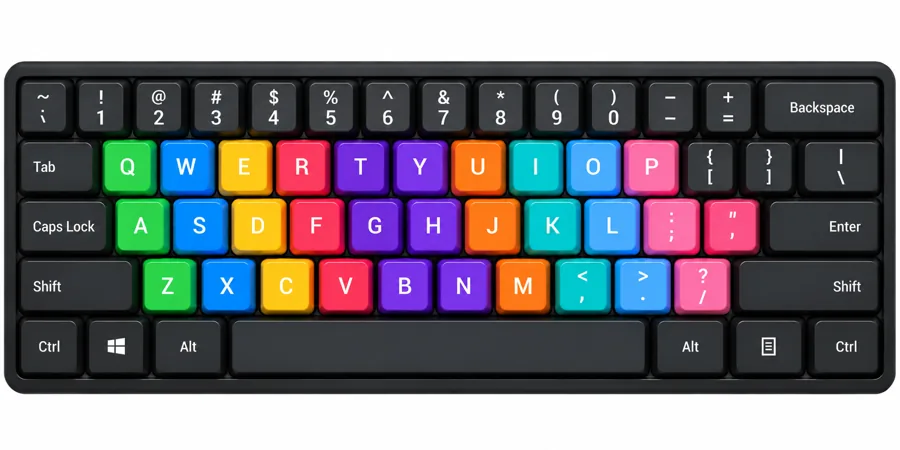
You type on your normal keyboard. The lessons use the standard US QWERTY layout, and the on-screen keyboard shows the next key.
Where do my fingers go when I type?
- Left fingers rest on A S D F. Right fingers rest on J K L ;.
- Your index fingers sit on F and J. Feel for the small bumps.
- Both thumbs rest on the space bar.
- Reach up or down with the same finger, then return to the home row.
- For Shift keys, hold Shift with the little finger of the opposite hand.
What does a simple practice plan look like?
- 3 minWarm up with a drill you have already passed.
- 8 minWork on your current lesson. Repeat any drill that scores low.
- 4 minType a sentence or paragraph from Lessons 6 and 7.
How can I type faster and make fewer mistakes?
- Look at the screen, not the keys.
- Accuracy first. Speed comes with practice.
- Press Space with your thumb after every word.
- Repeat a lesson until you earn at least 3 stars.
- Sit straight and rest your wrists.
- Once a week, take the free English typing test to see your WPM and accuracy.
Is my typing stored or shared?
No. There is no account. What you type and your stars stay in your browser.